# One-shot prompt with a specific model
mbm run -m openai/gpt-4o "Refactor this to async/await"
mbm run -m deepseek/deepseek-v4-pro "Explain quantum computing"
mbm run -m ollama/llama3:8b "What is this error?"

# Pipe stdin into a prompt
git diff HEAD~5 | mbm run -m openai/gpt-4o "Write a PR description"
cat error.log | mbm run -m ollama/llama3:8b "Diagnose this error"

# Attach files for context
mbm run -m openai/gpt-4o -f src/main.ts -f src/utils.ts "Find bugs"

# Continue a session
mbm run -c "Add error handling to the login function"

# JSON output for CI pipelines
mbm run --format json -m openai/gpt-4o "Code review" > review.jsonl

# Batch processing with file glob
for f in src/**/*.ts; do mbm run -m ollama/llama3:8b -f "$f" "Add JSDoc" --dangerously-skip-permissions; done

# SSH remote server diagnostics
ssh user@server "mbm run -m ollama/llama3:8b 'Server health check' --dangerously-skip-permissions"

# Safe mode (read-only)
SYNOTI_SAFE_MODE=1 mbm run "Analyze project structure"
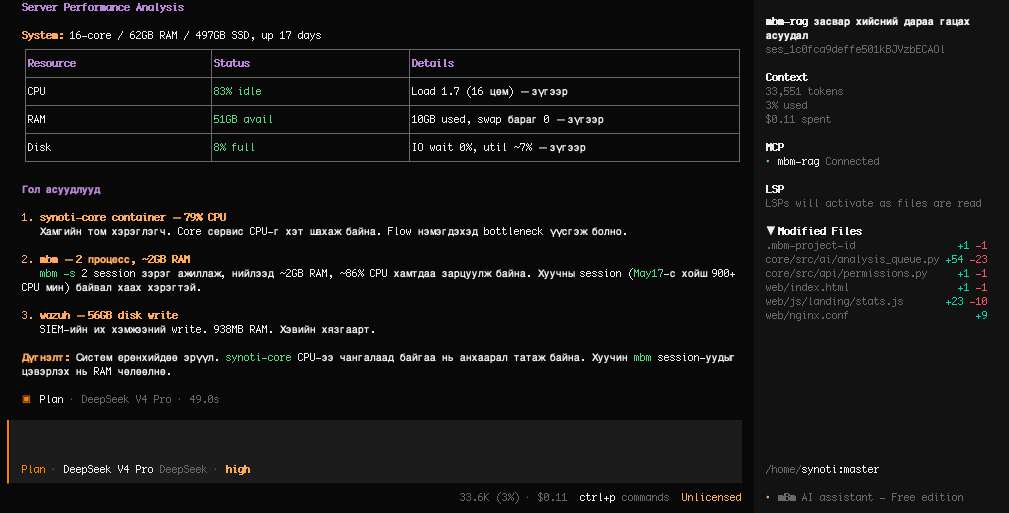
You can do anything by chatting. No menus, no wizards, no clicking around — just describe what you want in plain language and mBm figures out the rest. It is your AI superpower in the terminal: thinks like a principal engineer, operates like a veteran operator. It reads your entire codebase and system, remembers project context across sessions, and executes complex software engineering tasks with surgical precision. Beyond code, mBm manages servers with unrestricted access: troubleshoot production incidents, diagnose system failures, inspect logs, restart services, audit security, and orchestrate infrastructure — all from a single terminal session.
Three Modes of Operation
Safe Mode
Analyzes and explains without making changes. Safe is the default when mBm detects high-risk operations. Perfect for code review, architecture analysis, troubleshooting, and learning — zero side effects, zero risk. Every write operation requires explicit confirmation — mBm proposes each change one by one, youread the diff, decide what to allow or reject, and only confirmed actions are executed.
Plan Mode
READ ONLY MODE — mBm reads and analyzes your codebase and system (OS) but makes zero changes to any file or configuration. Designs a detailed implementation plan before writing a single line. mBm considers edge cases and presents the approach for your approval. Plan is the intelligent default for new features and refactors.
Build Mode
Full autonomous execution — reads, writes, runs commands, commits code, deploys. Build mode is for when you trust the plan and want mBm to execute end-to-end. Every action is tracked, every change is reversible via git.
Server & System Management
Unrestricted Access
Full root/sudo capability on your servers — every action requires your explicit approval. mBm proposes each command and change one by one, you review the details and approve or reject before anything runs. Manages users, permissions, firewall rules, systemd services, cron jobs, disk partitions, network interfaces — everything a veteran operator handles, accelerated by AI. If mBm itself ever breaks — corrupted install, bad config, missing binary — it can diagnose and repair its own installation. Run mbm upgrade to fetch a fresh binary, or mbm uninstall then reinstall to start clean.
Remote Server Troubleshooting
SSH into remote servers, diagnose issues across your infrastructure, compare configs between machines, run health checks, and fix problems — whether the server is local, in the same datacenter, or across the world.
Production Incident Response
Parse logs in real-time, trace error stacks, identify root causes, roll back deployments, restart failed services, and document the incident — all in one continuous AI-driven workflow.
Infrastructure as Conversation
Describe what you need — "scale the API to 3 replicas", "migrate this Postgres database", "set up Let's Encrypt on nginx" — and mBm figures out the exact commands, handles errors, and confirms success.
Development Superpowers
Persistent Memory
RAG (Retrieval-Augmented Generation) knowledge base with pgvector semantic search — auto-indexes your code on every commit. mBm remembers your project across sessions, across reboots, across weeks. Team members come and go, but your project knowledge stays — new developers are productive from day one with zero handover.
Full Code & System Awareness
Understands the full directory tree, file relationships, project conventions, and system state — running services, installed packages, network config, disk usage, and OS details. Searches, reads, edits, and creates files with surgical precision. Refactors across hundreds of files and diagnoses system issues without breaking anything.
Terminal-Native, Zero Bloat
No browser, no Electron, no GUI. Runs entirely in your terminal — the natural habitat of developers and sysadmins. Lightweight, fast, and always available via SSH.
Multi-Agent Architecture
Custom AI agents with configurable tools, permissions, and model routing. Deploy subagents for specialized tasks (database, frontend, security audit) while the primary agent orchestrates.
MCP Protocol
Model Context Protocol integration — connect external tools, APIs, and data sources via standardized MCP servers with OAuth authentication. Extend mBm's reach to any system.
Built by mBm TECHNOLOGY LLC. Visit mbm.technology for more information.